Usage
The basis of the whole package is the Quiz class.
Each quiz has to have at least one Category.
from quizpy import *

q = Quiz()
my_category = q.add_category('TopCategory')
A Category holds questions that will later be grouped together in the Moodle web interface.
For example we can add a simple multiple choice question:
mc = MultipleChoice('The Question Title', 'What is love?', 1.0)
mc.add_choice("Baby, don't hurt me!", -100.0)
mc.add_choice("Don't hurt me!", -100.0)
mc.add_choice("No more!", 100.0)  # Correct answer

my_category.questions.append(mc)
Once all question are created and added to a category you can export the quiz to an XML file for later import into Moodle.
q.export("MyFirstQuiz.xml")
This XML File can then be used to import a question catalogue under Question bank -> Import. As file format you need to choose Moodle XML format. Depending on your moodle installation/theme/skin this might look different for you:
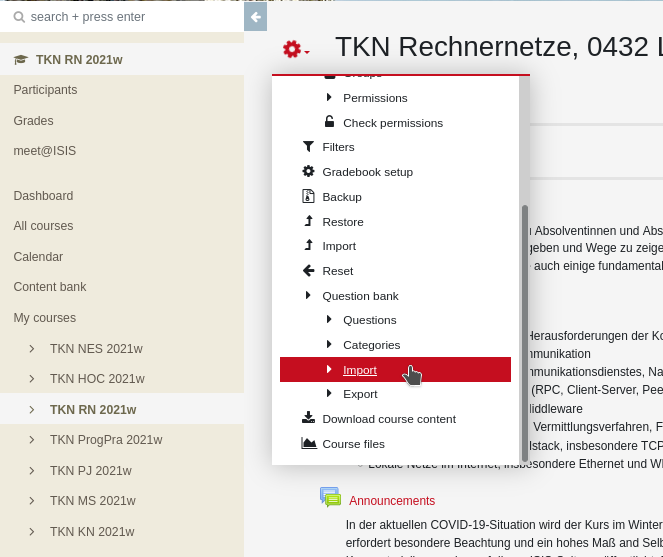
Please note, that this module will not create an actual Moodle quiz for you. You still have to assemble your questions into a quiz manually. But it makes it a lot easier if you just have to pull them from a specific catalogue.